Every piece of artwork I generate for the shop goes through Ideogram (and a few other generators). Describe the image, remix or generate, reduce to four colors, prep for vectorization. Every time. Same steps, same suffix, same manual process. It works, but it doesn’t scale.
So I built a pipeline that does all of it from a folder drop.
What it is
A Python file-watcher that monitors seven input folders on my iCloud Drive. You drop an image into a folder, or an image plus a text file, and the pipeline calls the Ideogram API, generates new artwork in my signature print style with a four-color max, saves the output into date-organized folders, moves the originals to processed/, and logs every cent spent. It polls every five seconds.
The workflows
Each folder triggers a different creative pipeline.
Single #1 describes the image, then remixes it at 30% strength. You get something that echoes the original without duplicating it. Single #2 does the same describe step but generates a completely new image from the text alone, no visual DNA from the source. Batch Remix produces multiple variations per input, each with a unique random seed from the API. Default is two, but it scales.
Hybrid is prompt-driven. Drop a prompt.txt and optionally a base image. Image present, it remixes. No image, it generates from text. Full control.
Custom Change is where it gets interesting. Drop an image plus a .txt file with directives like dolphin > sea turtle or location: Outer Banks, North Carolina or add: vintage rustic coastal feel. The pipeline describes the original, applies your substitutions to the description, then remixes. You keep the composition but swap subjects, settings, moods. Landmark Swap does the same thing but restructured around regional landmarks using region:, landmark:, details:, and keep: directives.
Vectorize converts to clean vector.
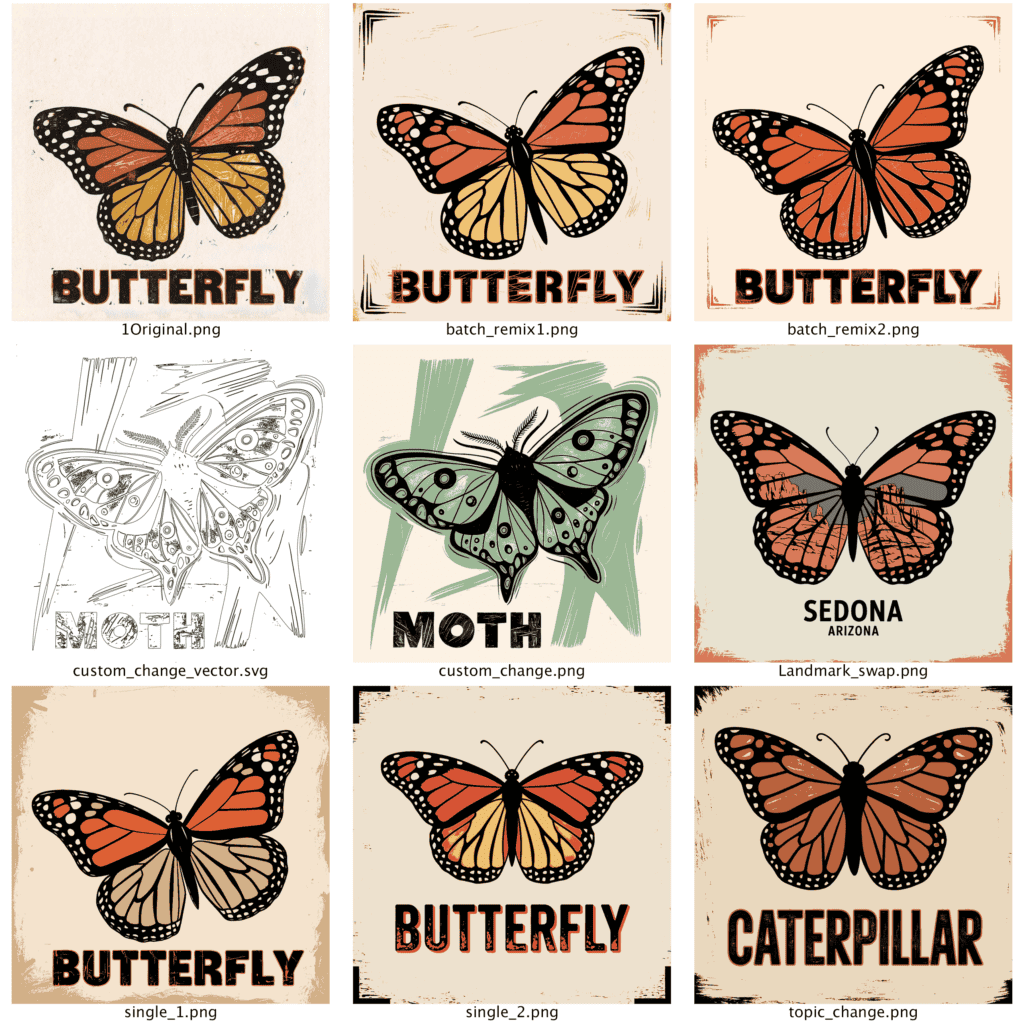
What happens under the hood
Every generated image automatically gets a four-color reduced version using k-means clustering via PIL and NumPy. That’s the step that preps everything for Vectorizer.AI, which is how I get from AI output to something that actually works as a screenprint. The prompt suffix, no cropped isolated images, four colors including background, appends to every call automatically.
Referencing old PDF and .ai inputs are supported. PDFs get rasterized to PNG at 300 DPI before processing. Cost tracking logs every API call with per-call, per-session, and all-time totals to a JSON file. A companion cleanup task runs daily at 9 AM and deletes anything older than two days from processed/ and output/ so the folder structure stays clean.
What this replaced
Manual API calls, manual prompt editing, manual file organization, manual cost tracking. All of it, gone. I drop a file, I walk away, I come back to finished artwork ready for production. And I have a folder for automation of the vector separation, so my output can approach 75 fully set to finished graphics an hour.
This is not a pipeline for every customer. It’s a pipeline for a very specific customer, but it matches an aesthetic and it hits on the product needs.
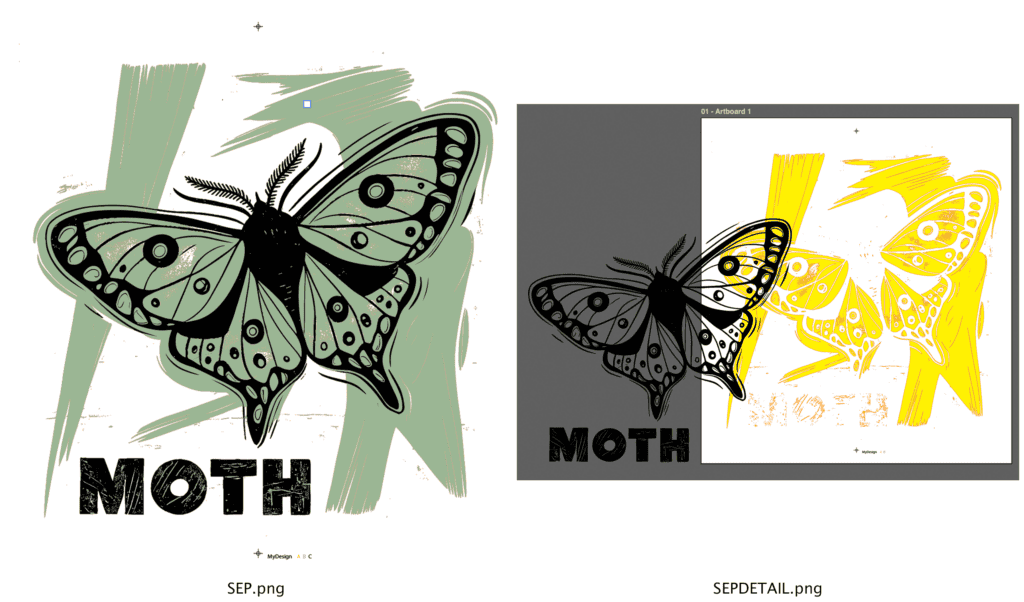
Tools used:
- Python (file-watcher, workflow routing, color reduction)
- Ideogram API (Describe, Remix, Generate endpoints)
- PIL / NumPy (k-means clustering for 4-color reduction)
- Vectorizer.AI (vector conversion of reduced images)
- iCloud Drive (drop-folder structure)
- Scheduled task (daily cleanup at 9 AM)
Comments