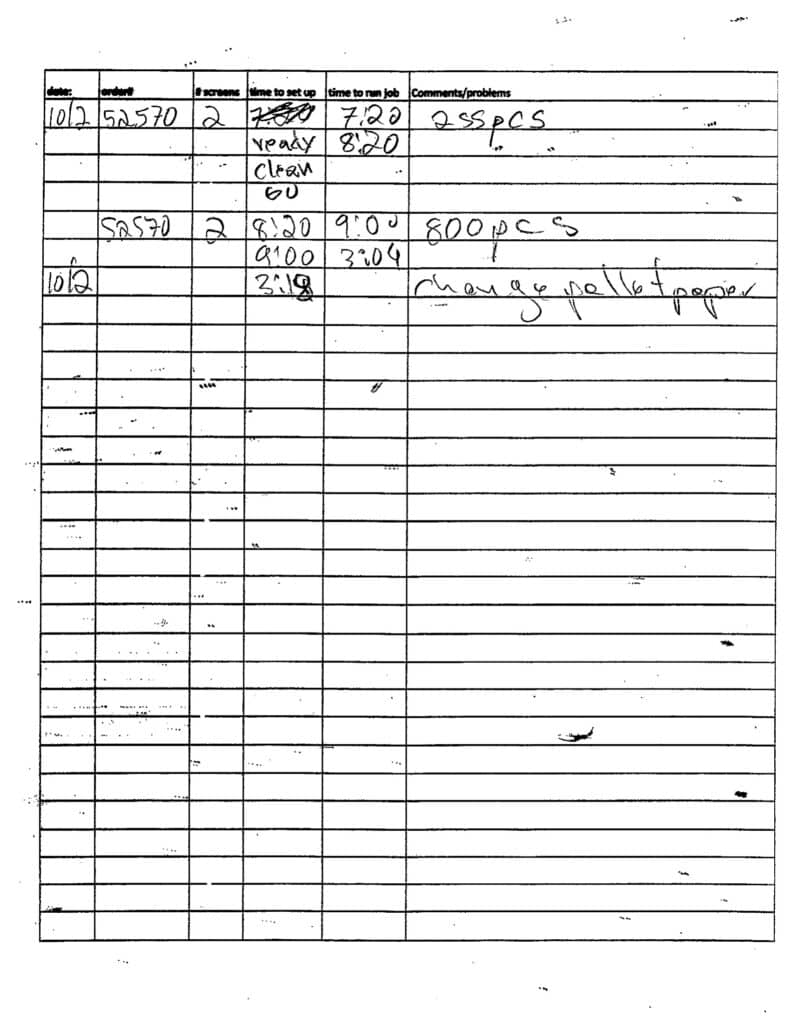
We have about 300 handwritten press log sheets sitting in binders. Every job that runs through the shop gets logged by hand, date, order number, screens, setup time, run time, comments. The problem isn’t the logging, the operators are thorough. The problem is that once it’s on paper, it’s dead. You can’t search it, you can’t sort it, you can’t see patterns.
So I built a pipeline to digitize all of it using AI, essentially Turning Handwritten Press Logs Into Actionable Data
Digitizing the data
The process: professional flatbed scans of every sheet ($15), fed through Claude’s vision API with a custom prompt tuned to our specific log format ($9). The prompt knows what “2SL” means (2 screens, sleeve left), knows that “735pcs” is a piece count and not a time, knows the difference between “ready,” “clean,” and “go” as workflow stages. I did not teach it that. It learned from scanning the pages and reading them.
The first pass on phone photos gave us about 65% accuracy. After switching to professional scans, upgrading to Opus, and rewriting the prompt with explicit rules about our shop’s shorthand (again, the AI did this by itself), we hit near-perfect accuracy on structured fields, dates, order numbers, screen counts, piece counts.
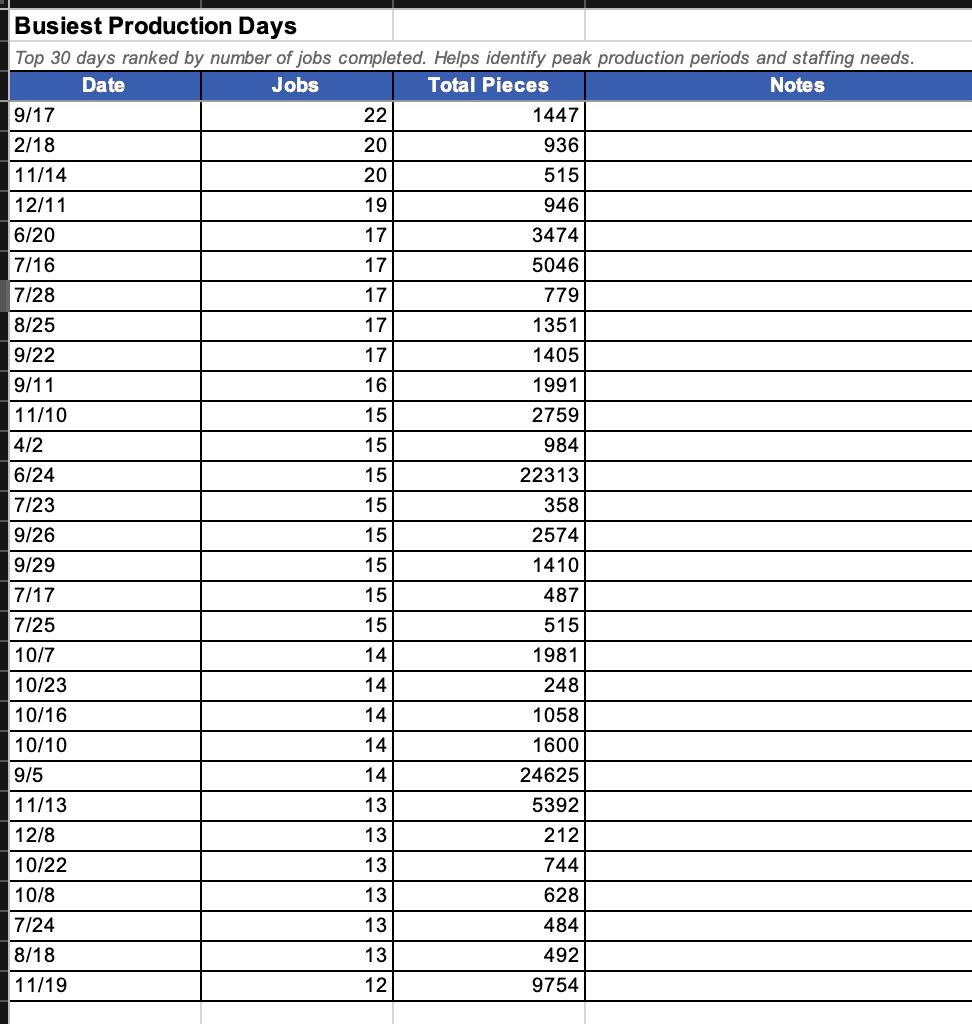
329 pages processed. 1,891 entries parsed. And then I could actually ask questions.
Reporting.
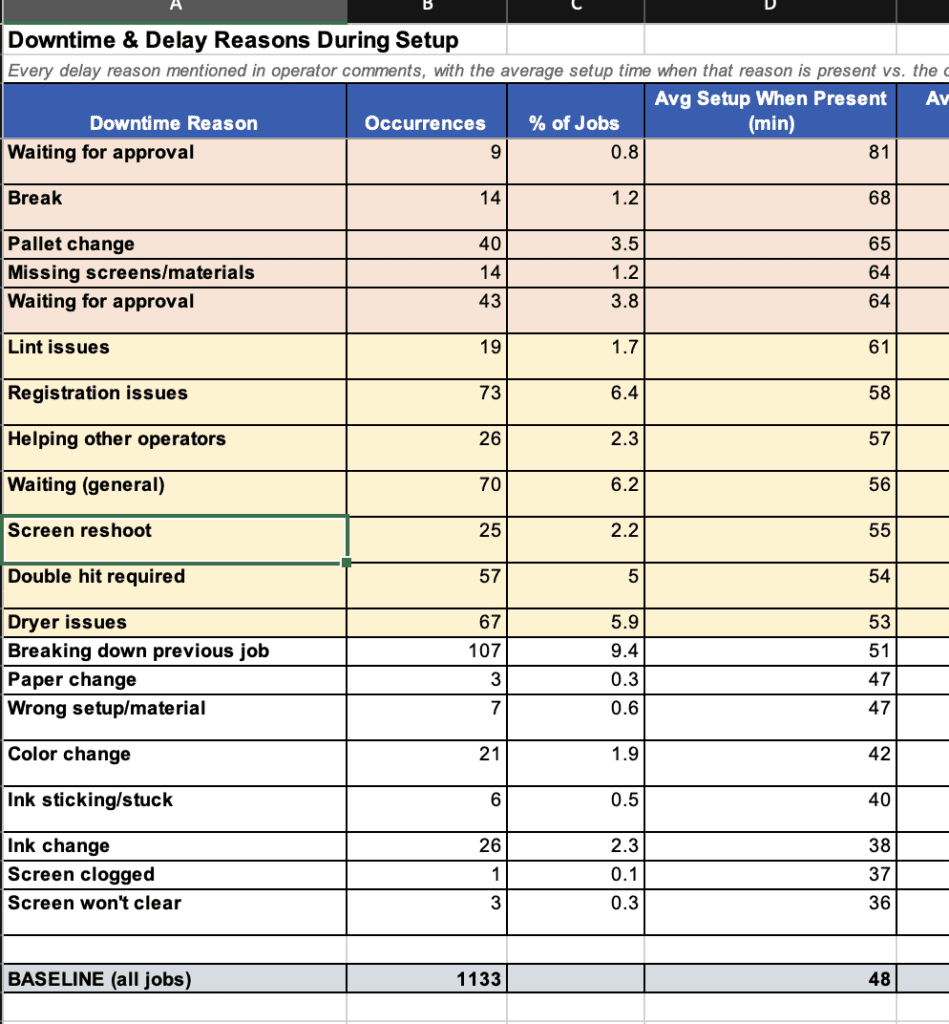
Average setup time? Does it scale with screen count? Yes, 35 minutes for 1-screen jobs, more for more screens. What’s the biggest time killer? Waiting for on press approval adds 33 minutes. Missing screens from the dark room adds 16 mins. What percentage of double-hit jobs run past 3 PM?
These aren’t things you can pull from a binder. This is production intelligence that was always there, buried in handwriting. The AI didn’t create the insight. The operators wrote it down every single day. The AI just made it readable.
Next up: a tablet app to replace the paper logs entirely. This first part of the process, as we transition to digitizing, was five hours.
Tools I used in this project:
- Claude (this conversation — Opus 4.6 via claude.ai)
- Claude API (Opus via API for batch processing the pages)
- Python (scripts for PDF splitting, image processing, API calls)
- Professional flatbed scanner (for the PDF)
- Pillow / pillow-heif (image handling and EXIF orientation fixes)
- pdf2image + poppler (splitting PDF into individual page images)
- iPhone camera (initial test photos before professional scans)

Comments