Someone asked me about this the other day. A customer sends a photo that’s already been printed once. Scanned off a brochure, pulled off a poster or a tee, whatever. It comes with a halftone pattern baked in — the rosette of dots a press uses to fake a continuous tone. Print that through a screen and you get a moiré: the dot pattern fighting the mesh pattern, or the shirt knit, or all three. I love moirés. They’re beautiful. The customer doesn’t want one. °FAI: Descreen It. Keep the Grit.
Here’s the video. This is the process.
It’s the same job as cleaning up AI art.
Descreening is removing a pattern without changing the picture. That’s what I did on the AI truck art with JPEG noise, and the steps overlap. Same channels. Same filters. Different pattern.
People sometimes make this an action set. But you might change your mind every pass. An action can’t do that.
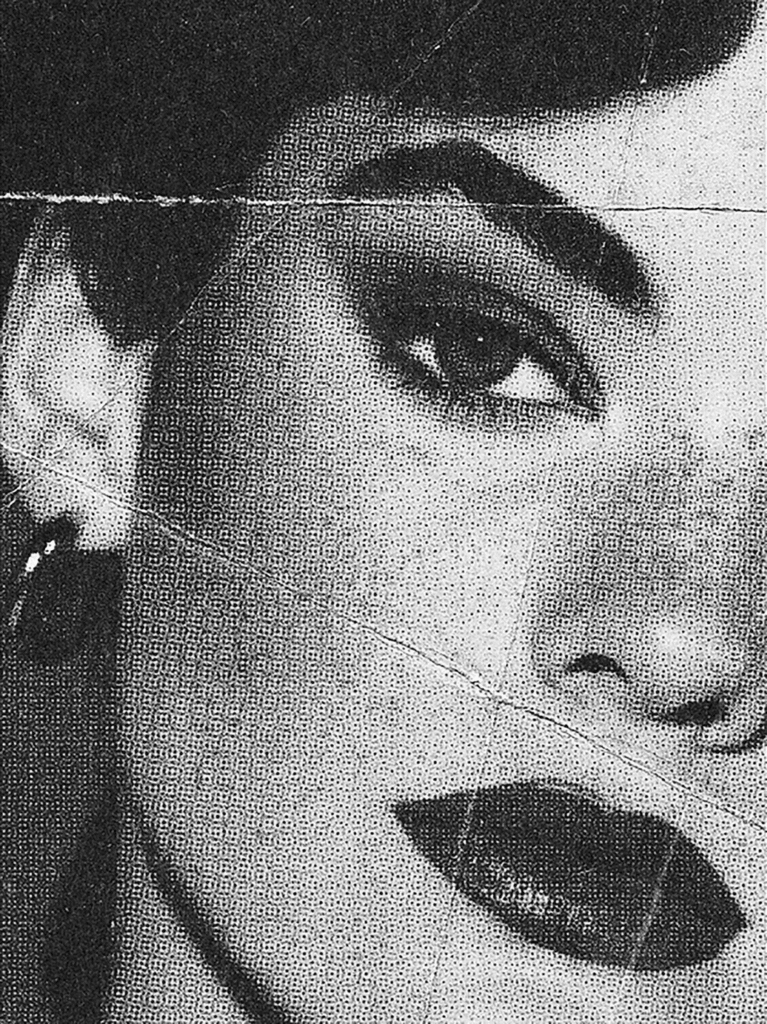
Size it first. Then send a copy to ChatGPT.
The file was small. Take it to full print size at 300 dpi before anything else, because the pattern changes when you scale. Mine landed at 8 inches by 300.
Save a PNG and hand it to ChatGPT in a fresh chat: recreate this image exactly as it is, descreen the halftone and the rosette, don’t change anything else. It did a good job. It’s also not the same image. Fine for some customers. Not this one. If a client sends a gritty photo, the grit is part of what they bought. So ChatGPT’s version goes in a side-by-side, and I do the real one by hand.
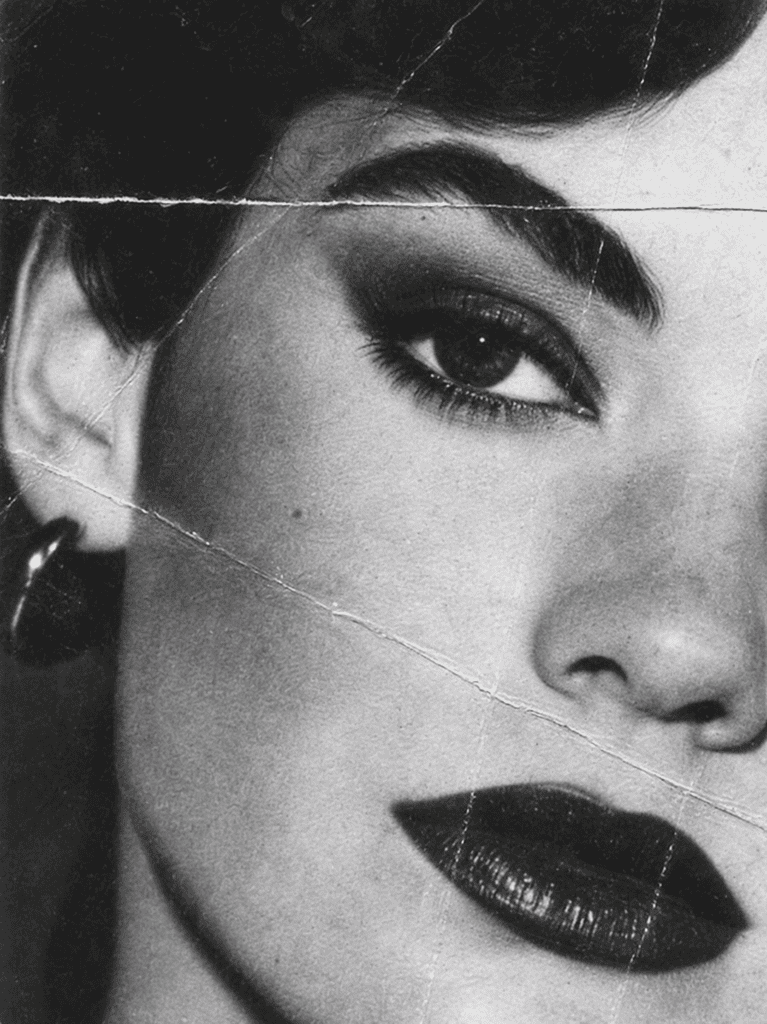
Work on Lightness. Only Lightness.
Convert to Lab. On this file the a and b channels were empty. Black and white image. Everything’s in L.
Gaussian Blur, start at 1. Median, start at 1. Back and forth. You want enough that you can see it doing something, not so much that it goes soft. Then Unsharp Mask to bring the edges back. My first sharpen was too much. Back it off.
Even on a color image, stay on L. You can run Median and Gaussian on a and b. Don’t sharpen them. Sharpening the full image pulls the colors away from each other. Sharpening Lightness alone keeps them where they are.
The parts that fight you.
The face looked better after a pass; the background looked worse. So step back and work the trouble spots on their own with a soft selection. Don’t lose an iris. Keep the folds in the fabric alive.
The healing brush is the wrong tool here. It sees a pattern and repeats it, because it doesn’t know the pattern is the problem. Cloning is better, but cloning skin is hard. Low hardness. Small moves. One more pass “just because” is usually one too many.
How you know you’re done.
Zoom in and out. A moiré pops in and out as the zoom changes. If nothing pops, you’re there. I still saw a little in one cheek and softened it until it stopped. I left a trace in one spot on purpose. Nothing there is going to show up on a screen, and the rest of the image kept its texture.
The honest part
This takes the time it takes. You could keep going until every trace is gone, and the image would be mush. The job is to kill the pattern and keep as much of the original as you can. If the client just wants clean, give them the ChatGPT version and ask.
What this really shows: descreening isn’t new. Lab mode and a median blur are old. What’s new is the first pass takes thirty seconds now, and it’s good enough to show the customer what “clean” would look like before you spend an hour making it true. That’s the thing AI is actually good at. The last ten percent is still eyes and work.
The pattern that would cause a moiré is gone. The photo is still theirs.
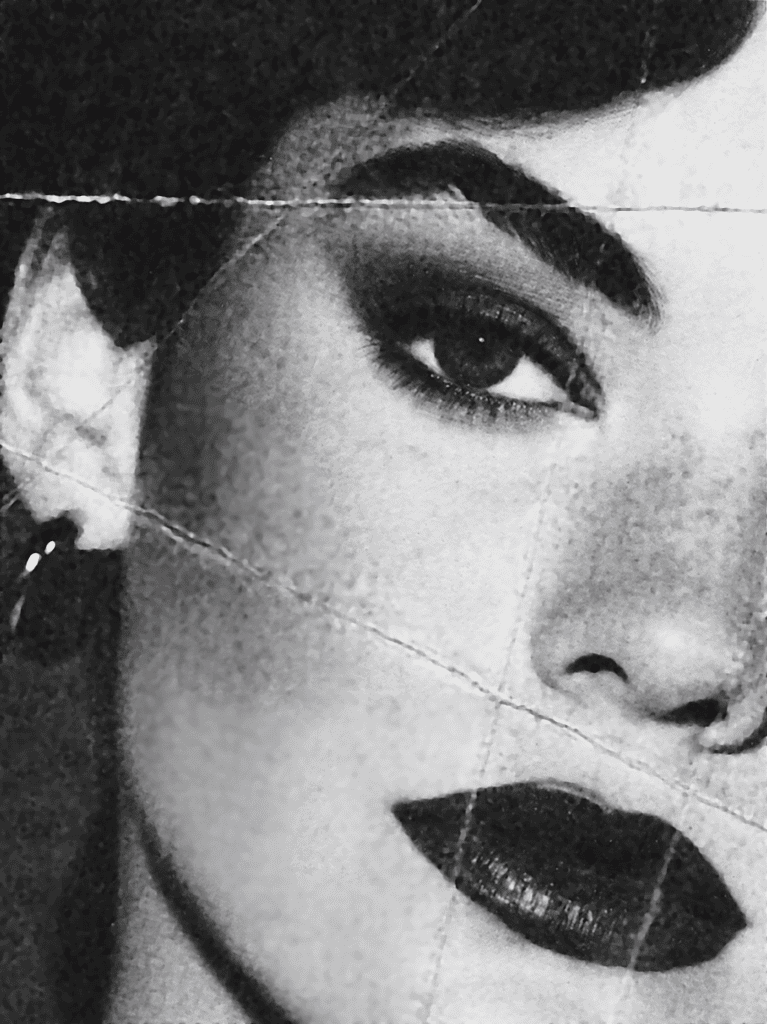
Tools used:
- Photoshop (Lab mode, Gaussian Blur, Median, Unsharp Mask, soft selections, Clone Stamp)
- ChatGPT (the fast descreen, in a fresh chat — the side-by-side)
- Claude (drafted this article)

Comments